# Review Quality Indicator Results
RTOSafe totals your Learner and Employer Questionnaire responses for each calendar year and calculates average scores. Use the results to spot trends during the year, and export the responses when you prepare your annual quality indicator summary.
***
## See How the Year Is Tracking
Go to [**Quality Indicators**](https://app.rtosafe.com.au/QualityIndicators).
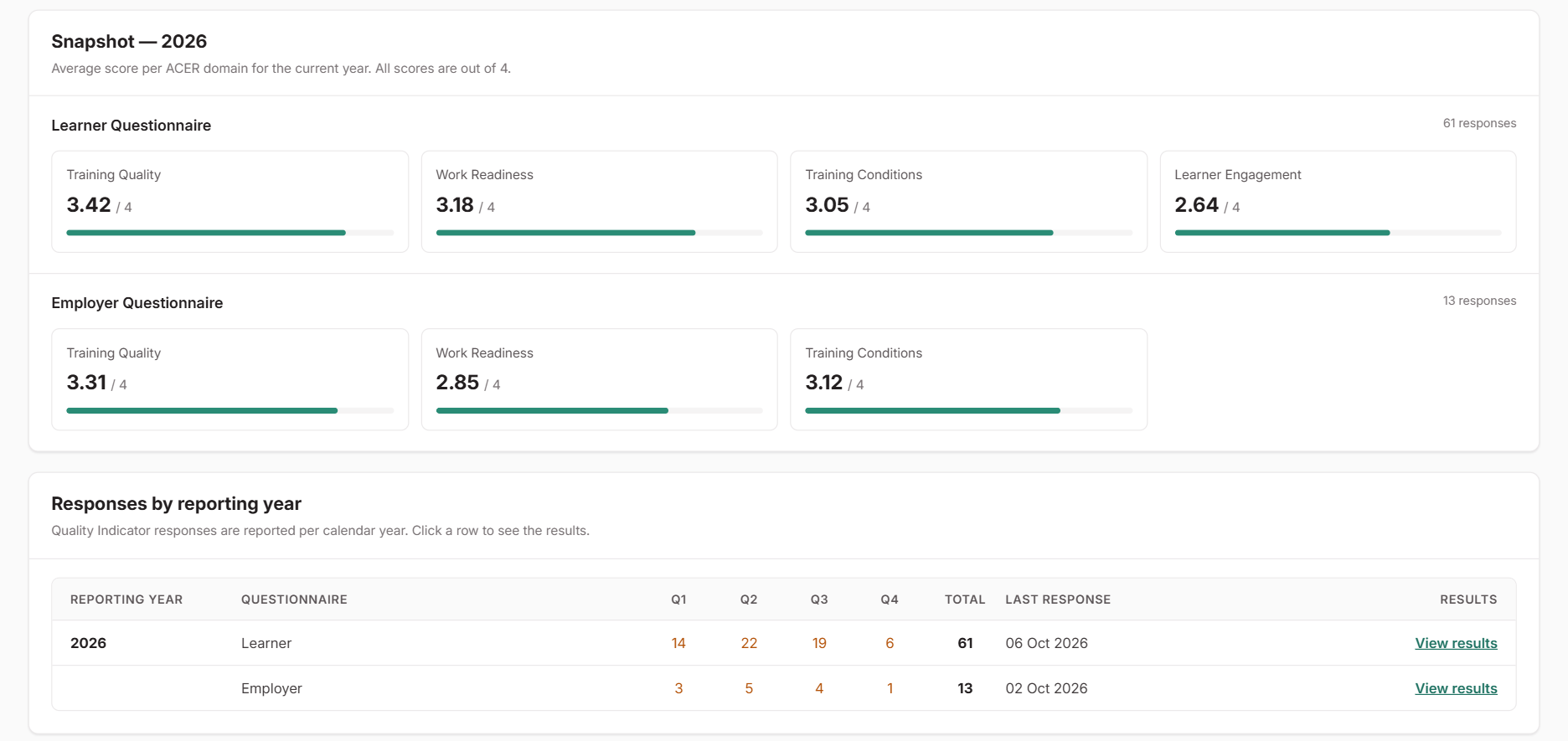
* **Snapshot** shows the average score for each domain, such as Training Quality and Work Readiness, for the current year. All scores are out of 4.
* **Responses by reporting year** shows how many responses came in each quarter, for each questionnaire. Use it to check whether responses are arriving steadily or need a push.
***
## Read the Results
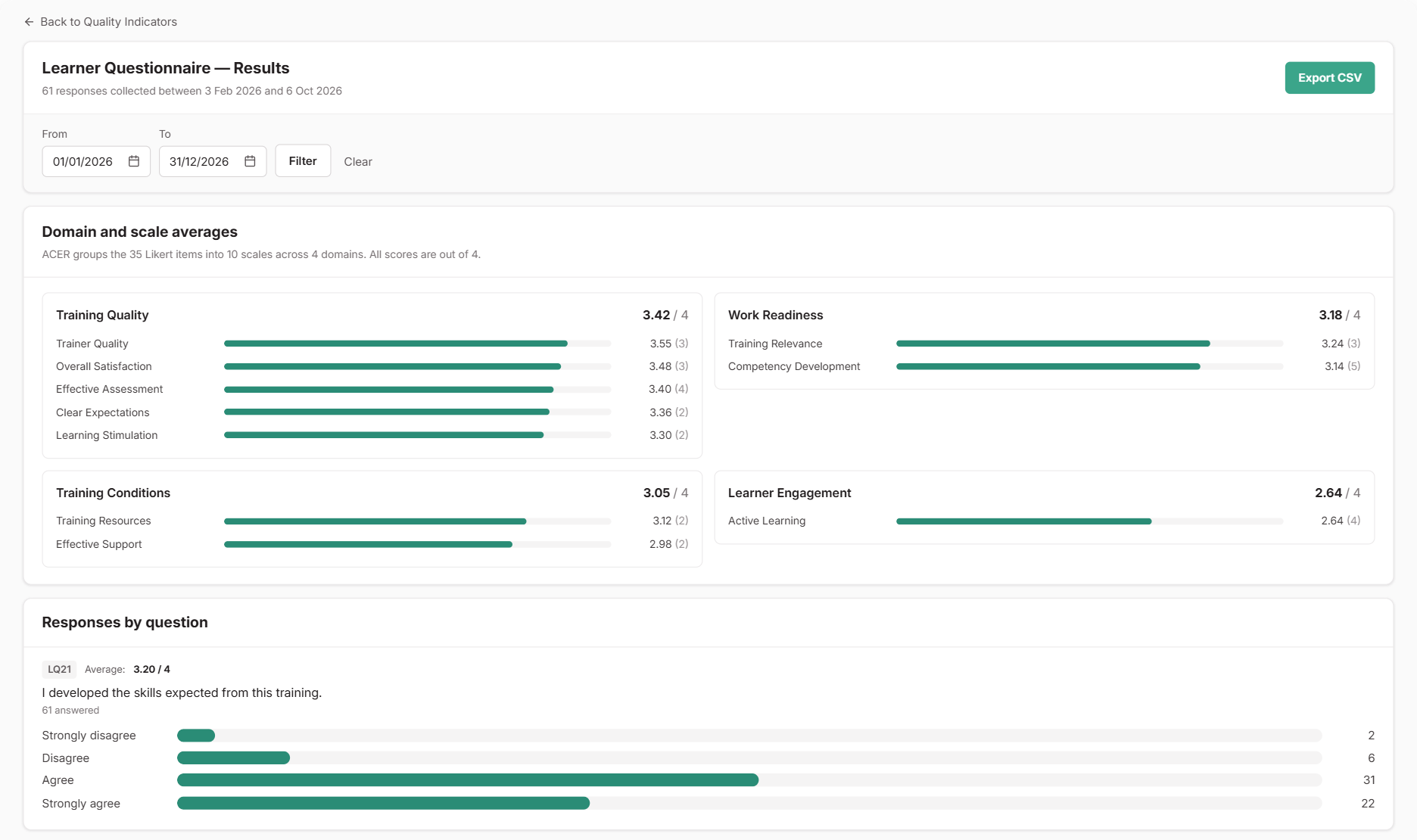
Select **View results** on a row to open that questionnaire's results for the year. You can change the **From** and **To** dates to look at a shorter period, such as one quarter.
* **Domain and scale averages** groups the questions the way the questionnaire does, so you can see which areas score well and which are lower. Scores run from 1 (Strongly disagree) to 4 (Strongly agree). Questions people left blank aren't counted.
* **Responses by question** shows each question's average and how answers were spread, plus every written answer to the best-aspects and needs-improvement questions.
The written answers are often the most useful part. They explain the scores and point to specific changes you can make.
***
## Act on What You Find
Quality indicator responses aren't part of the Feedback Register, so record any changes you decide to make as a [Continuous Improvement](/help/continuous-improvement). Your summary asks for the actions you've taken, so this gives you a record to draw from.
***
## Export the Responses
On the results page, select **Export CSV**. The file has one row per response, with every answer as you'd read it on the form. It covers the dates selected on the page, so check the **From** and **To** dates first.
RTOSafe doesn't produce or submit your annual summary to ASQA. Use these results and the export when you prepare it.
***
## Common Issues
The Snapshot isn't showing
It only appears once the current year has at least one response.