
Upload and Renew Your Documents
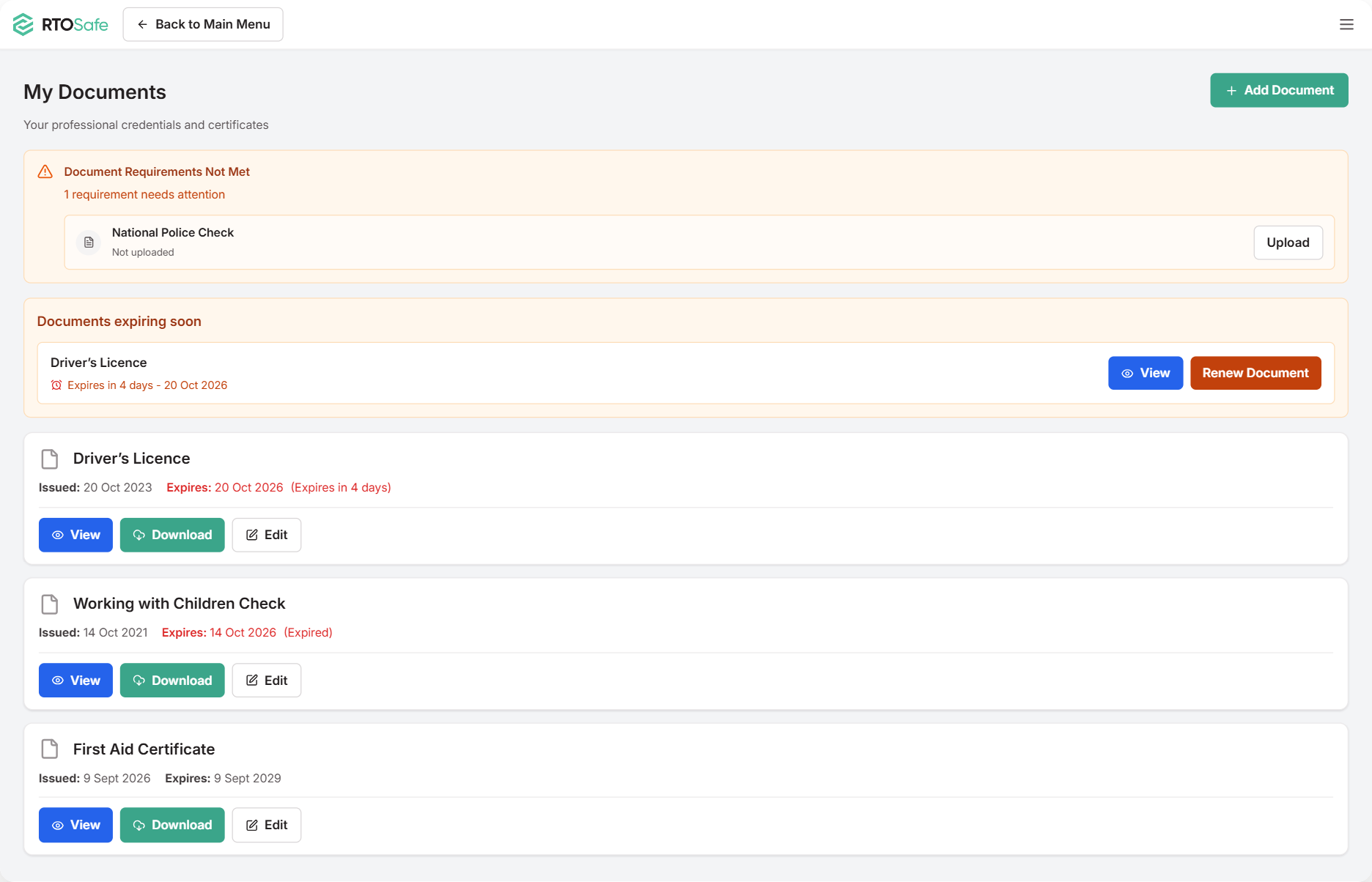
Your RTO needs to keep copies of your qualifications, licences and checks — like your TAE, First Aid or Working with Children Check. You can upload them yourself in My Documents, and see straight away if anything’s missing or about to expire.
Uploading a Document
Open My Documents and select Add Document
If something’s listed as missing at the top, you can select Upload next to it instead.
Choose what you’re uploading
- A training product — a qualification or unit from training.gov.au. Search for the full code, like
TAE40122. - A certification, licence, or check — First Aid, WWCC, police check, licences and so on.
Fill in the dates and details, and upload a copy of the document
For a qualification, upload your Record of Results too — it’s the document that shows which units you completed.
Select Add Document
If it’s a qualification, tick the units you completed. If it’s a certification, link it to the units it relates to.
Renewing a Document
When something’s due to expire within 60 days, it shows under Documents expiring soon. Select Renew Document and upload the new one with its new dates.
If it’s already expired, it drops out of that box — select Add Document (or Upload, if it’s listed at the top) and choose the same type.
You’ll also get emails 60, 30 and 7 days before it expires, and again once it has.
Don’t edit the old document — add the renewal as a new one. Your RTO keeps both, so there’s a record of each version.
What Happens Next
Your RTO checks and verifies each document. Until then, it shows as Awaiting Verification. Once it’s verified, it’s locked — you won’t be able to edit it.
Common Issues
I uploaded the wrong file
If it’s still awaiting verification, select Edit next to it in My Documents. If it’s already verified, ask your compliance team to fix it.
I can't find my qualification or unit
Type the full code with no spaces, like CHCMHS008. If nothing comes up, select Search in training.gov.au.
A document is still showing as missing
Check you chose the right type when you uploaded it. It’ll also keep showing as needing attention until your RTO verifies it.