
Add Qualifications & Units
Qualifications, skill sets and units come straight from training.gov.au, so you don’t need to set up a document type for each one. RTOSafe also knows which units sit inside a qualification, which helps it match a trainer’s credentials against the units they deliver.
Adding a Qualification or Unit
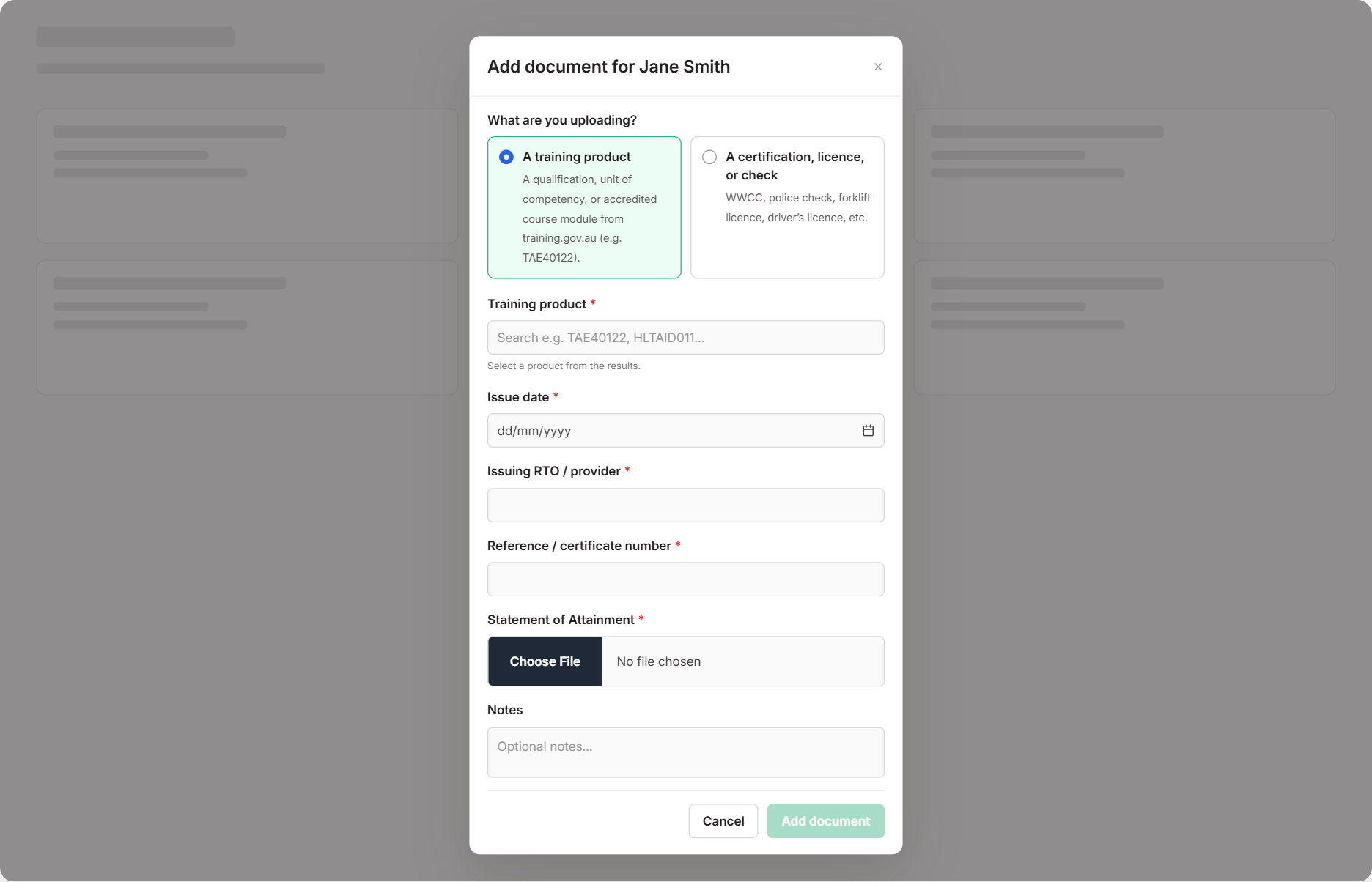
On the staff member’s Documents tab, select Add Document and choose A training product
Search for the full code — for example TAE40122 or CHCMHS008
Partial codes and keywords won’t match. If the code isn’t already in RTOSafe, select Search in training.gov.au to find it.
Enter the issue date, issuing RTO and certificate number, and upload the testamur or statement of attainment
For a qualification, also upload the Record of Results.
Select Add document
For a qualification or skill set, tick the units they completed on the next screen and select Save units
Then verify the document so it counts.
Superseded Qualifications and Units
Trainers often hold older versions, like TAE40116. You add these the same way — the training.gov.au search always includes superseded products, so type the full code and select Search in training.gov.au if it doesn’t come up straight away.
Once it’s verified, RTOSafe checks the National Register to decide whether an older unit counts as equivalent to the current one for the trainer’s scope. See Link Competency Evidence for how that works.
Units Not Listed in the Qualification
The tick list shows the units that belong to the qualification. If one of their units isn’t there — an elective imported from another qualification, or an older superseded unit — use Add a unit not in this qualification and search for the full code.
If RTOSafe doesn’t have the unit yet, select Search in training.gov.au. Adding a unit from there ticks it for you.
To change the units later, open the document and select Manage units. Units are locked once the document is verified.
What Happens Next
- The qualification and its units count as competency evidence once verified
- They show against the trainer’s units in the Trainer Matrix
Common Issues
Search can't find the qualification or unit
Type the full code with no spaces, like BSBWHS332X. Keywords and titles won’t match training.gov.au.
"Holds related version — not deemed equivalent"
The trainer holds an older version that the National Register doesn’t treat as equivalent to the unit they deliver. See Link Competency Evidence for your options.
Can't change the units on a qualification
Units are locked once the document is verified. Remove verification, update the units with Manage units, then verify again.